Designing a centralized system that connects fragmented clinical trial workflows—enabling real-time visibility, streamlined execution, and reduced operational overhead
[Industry]
Healthcare | SaaS
[My Role]
Lead Product Designer
[Platform]
Desktop
A Look into Key Screens
01
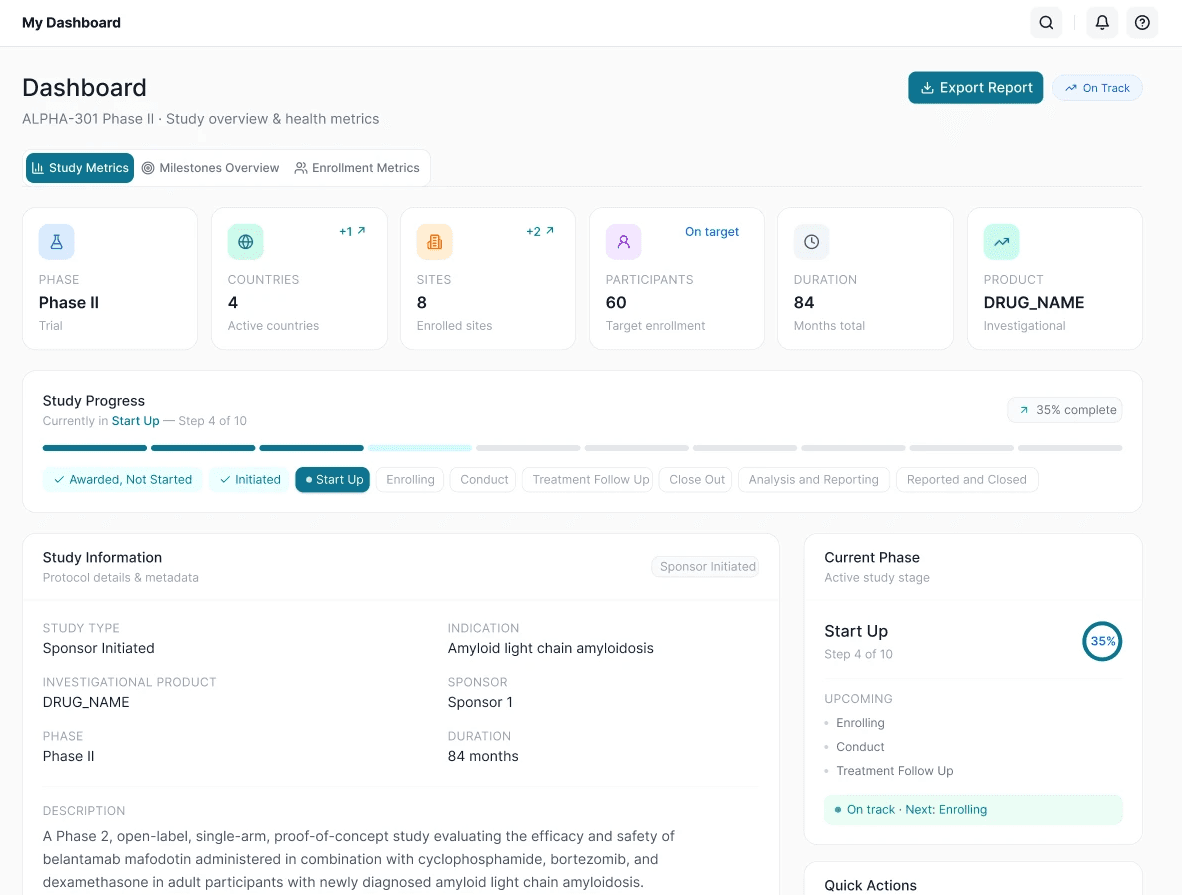
Study Overview
A centralized command center that provides a real-time snapshot of study health and progress
Unified view of study life cycle and performance
At-a-glance indicator health indicators for faster decisions
Brings together key data across multiple workflows, reducing tool-switching and improving visibility
02
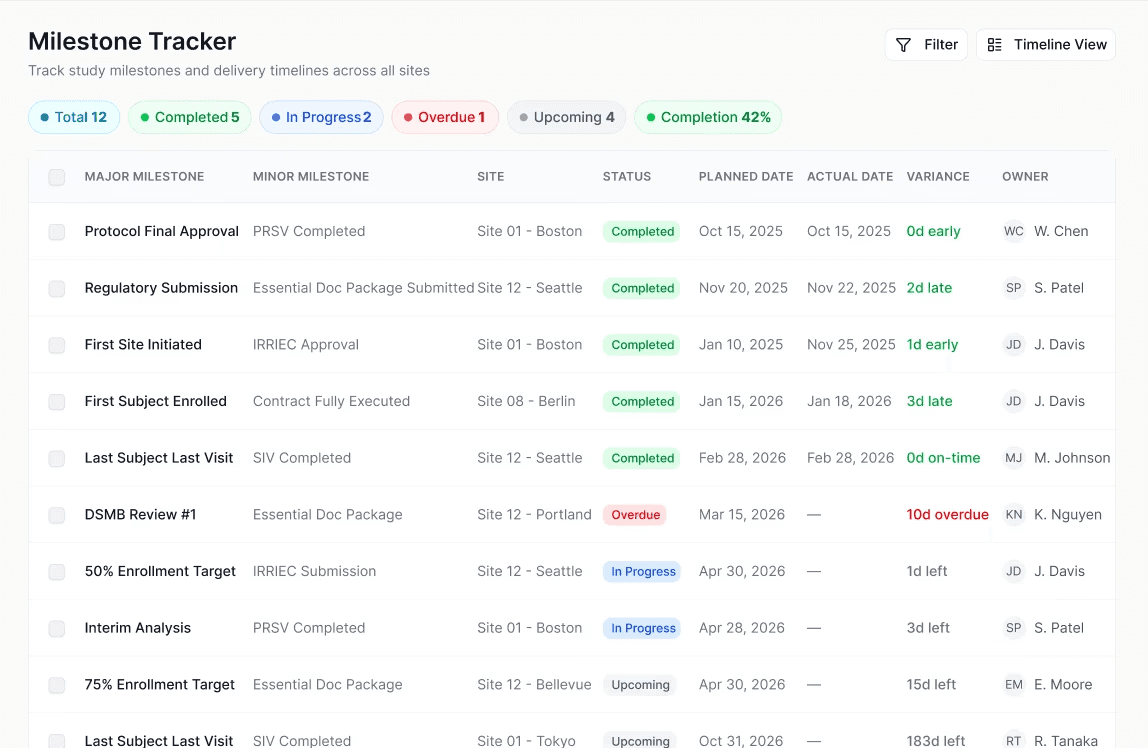
Milestone Tracker
A shared execution layer for managing study timelines, ownership, dependencies, and critical deadlines
Replaced scattered trackers with one place to manage milestone status, planned dates, and owners
Highlighted overdue or slipping milestones early so teams could act before downstream impact
Supported startup, regulatory, enrollment, and closeout milestones in one shared workflow
03
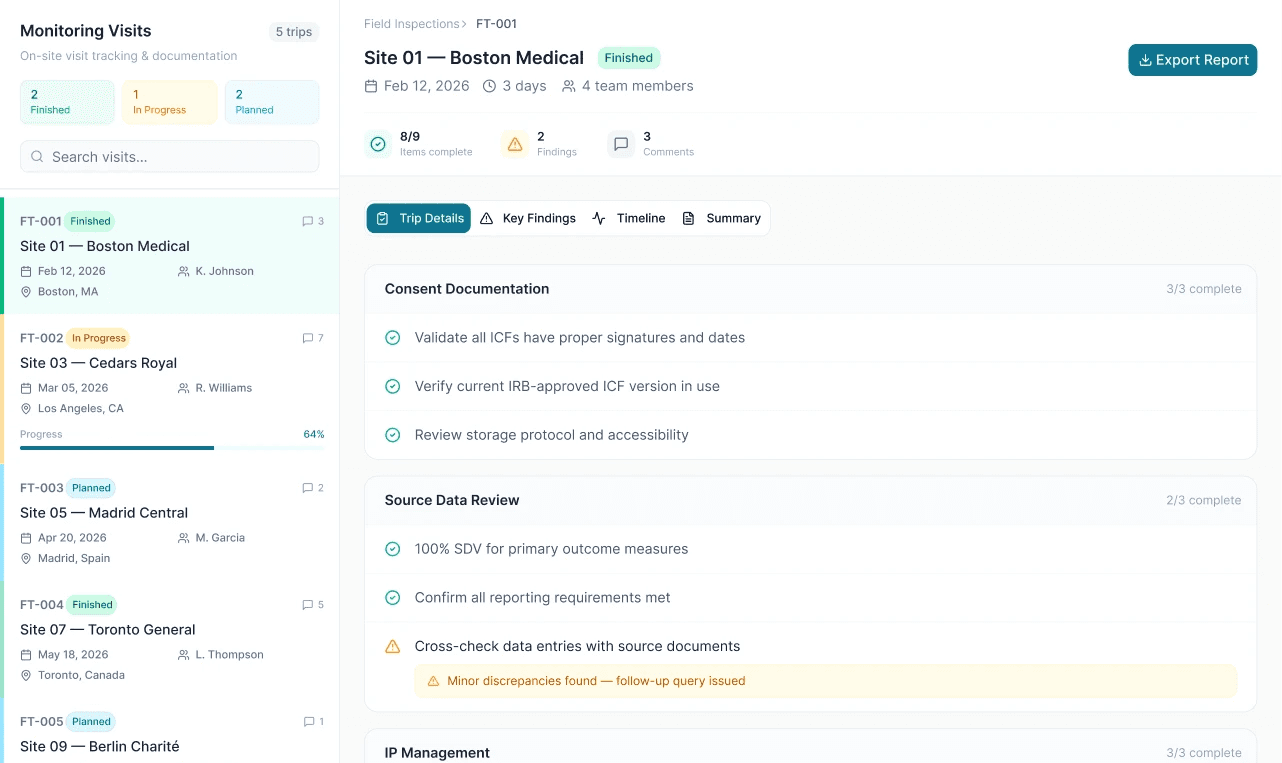
Monitoring Visits
Structured workflows that help CRAs plan, execute, and document visits with greater consistency
Guided workflows for visit execution
Task-level tracking and completion
Streamlined documentation and reporting tasks that are often repetitive or manual
04
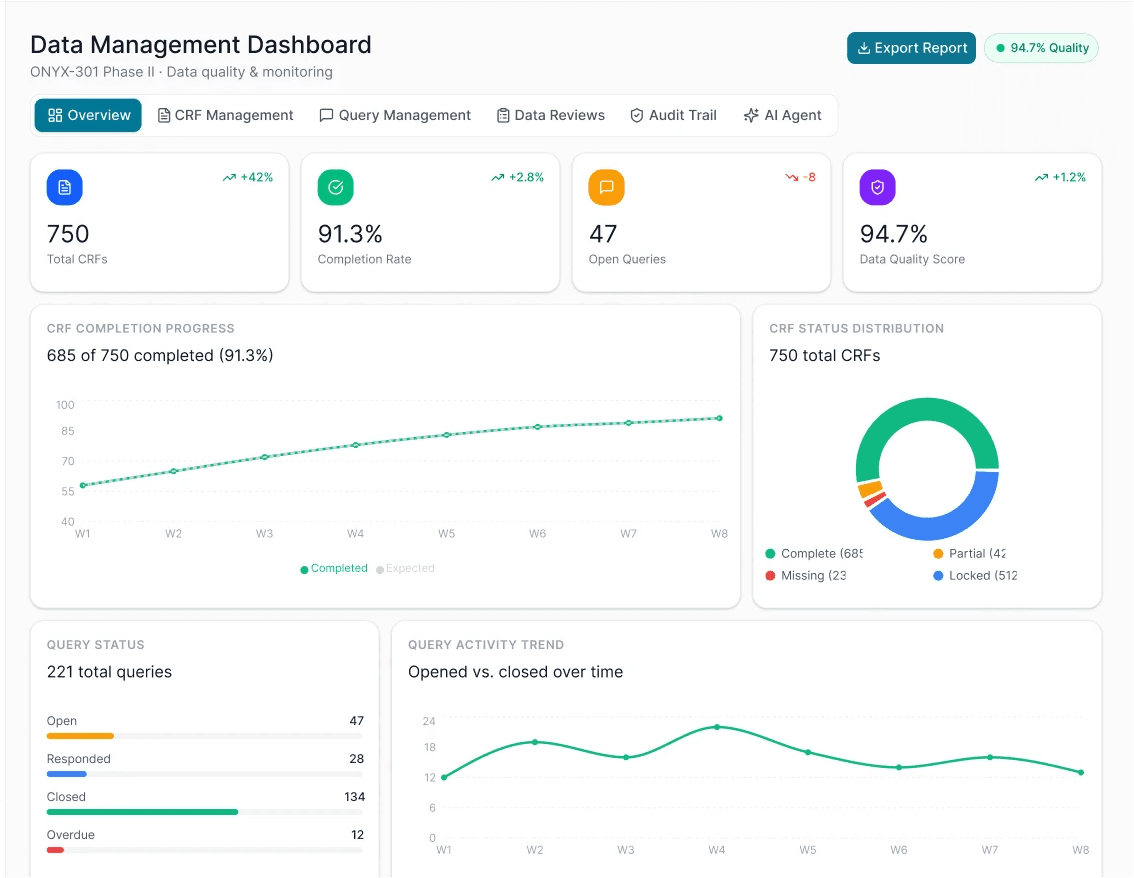
Data Management Dashboard
A centralized workspace that consolidates data entered across multiple workflows and user roles
Brought together inputs from visits, forms, queries, monitoring activity, and operational workflows into
Supported inputs from both site and sponsor users within a unified workspace, while preserving appropriate blinding and permission controls
Surfaced trends, missing data, and quality risks earlier through centralized monitoring
Minimized time spent comparing spreadsheets, exports, and disconnected systems
05
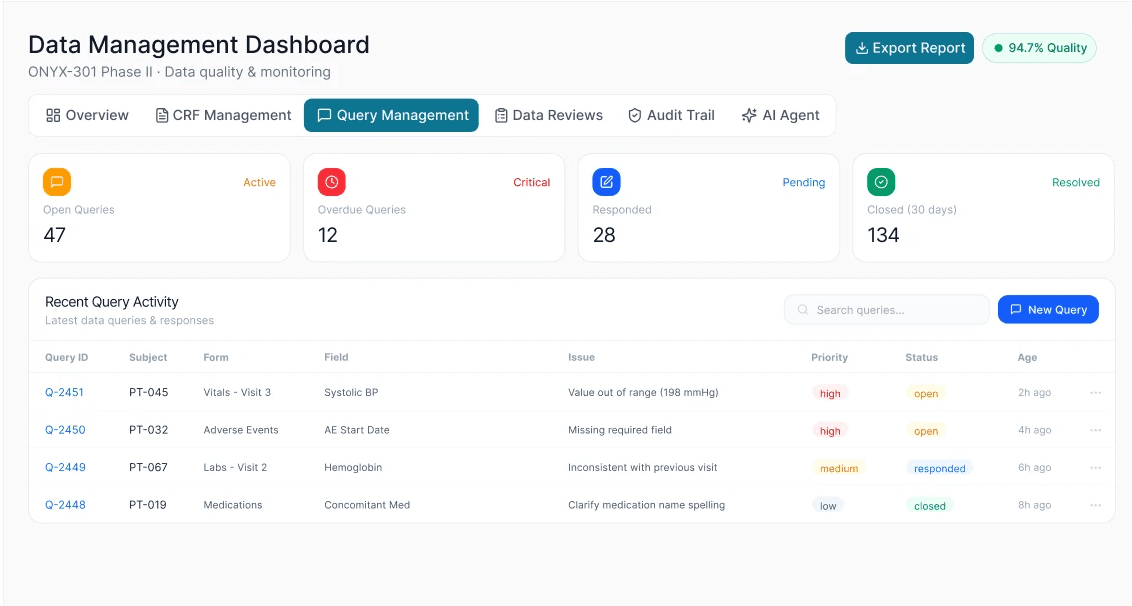
Query Management
Unifying workload tracking, prioritizing, and resolving data queries across the study
Clear ownership and form context
Faster resolution life cycle
Prioritized by severity and status
Searchable, navigational records that stem from different areas of the application
How It Works?
My Design Process
(01)
Map & Understand
Explored how different teams worked the tools they used, and the challenges caused by fragmented systems
Map end-to-end workflows of the study lifecycle
Understand different perspectives of stakeholders across sites, monitoring, data management, Clinops
Identify pain points, gaps, and opportunities to unify
(04)
Validate & Build for Scale
Validated with key stakeholders, iterated quickly, and built scalable foundations to support future growth
Tested with stakeholders and incorporated feedback
Iterated on usability, edge cases, and performance
Built reusable components and flexible layouts for scale
Tools Behind the Work
FigJam
Figma
Chat GPT
Figma Make
Cursor AI
Miro
Adobe Creative Suite
Atlassian
Impact
By consolidating fragmented workflows into a unified platform experience, the product helped teams move through complex trial operations with greater visibility, consistency, and confidence.
- Unified operational workflows across studies, sites, and data management activities
- Supported a platform associated with 61% faster trial execution across 8 countries
- Built scalable UX patterns for future workflows and modules
- Improved operational efficiency, including feasibility timelines reduced by ~1 month and site responses occurring 37 days earlier on average
Reflection
Designing enterprise software in regulated environments taught me that the challenge is rarely the interface itself. It’s making complexity understandable.
This project pushed me to think beyond individual screens and focus on how workflows, stakeholders, permissions, and operational data connect across an ecosystem.
I learned how to:
- balance multiple stakeholder needs
- simplify high-complexity workflows
- design for scalability and governance
- create systems that support both usability and operational trust